

As a supplier of Home Gas Detectors, I understand the critical importance of keeping these devices up - to - date with the latest firmware. Firmware updates are not just about adding new features; they are essential for ensuring the optimal performance, reliability, and safety of your smart home gas detector. In this blog post, I'll guide you through the process of updating the firmware of a smart home gas detector.
Why Firmware Updates Matter
Before we dive into the update process, let's understand why firmware updates are so crucial for your Home Gas Detector. Over time, manufacturers discover ways to improve the functionality of their devices. These improvements can range from enhancing the accuracy of gas detection to optimizing battery life.
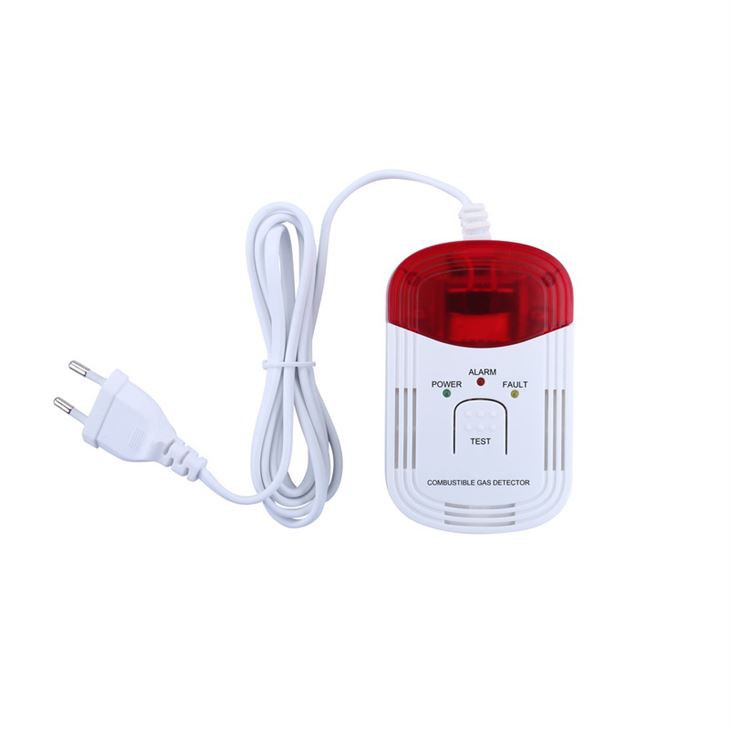

Security is another significant aspect. As with any smart device connected to the internet, gas detectors are vulnerable to potential security threats. Firmware updates often include patches to address these security vulnerabilities, protecting your home and family from unauthorized access or malicious attacks.
Prerequisites for Firmware Update
- Check Compatibility: First and foremost, ensure that the firmware update is compatible with your specific model of the gas detector. Different models may have different firmware requirements, and installing an incompatible update can cause malfunctions. You can usually find the model number on the back or bottom of the device.
- Charge the Device: If your gas detector is battery - powered, make sure it is fully charged before starting the update process. An interrupted update due to a low battery can corrupt the firmware and render the device inoperable.
- Stable Internet Connection: Since most firmware updates are downloaded over the internet, a stable Wi - Fi or Ethernet connection is essential. A weak or intermittent connection can lead to incomplete downloads, which may also cause problems with the device.
Step - by - Step Guide to Firmware Update
1. Check for Updates
The first step is to check if there is a new firmware version available for your gas detector. There are a few ways to do this:
- Mobile App: Most smart home gas detectors come with a dedicated mobile app. Open the app and log in to your account. Navigate to the device settings section, where you should find an option to check for updates. If an update is available, the app will notify you.
- Manufacturer's Website: You can also visit the manufacturer's official website. Look for the support or downloads section and search for your device model. There, you may find information about the latest firmware version and instructions on how to download and install it.
2. Download the Firmware
Once you've confirmed that an update is available, it's time to download the firmware file.
- App - Based Download: If you're using the mobile app, simply follow the on - screen instructions to start the download. The app will handle the entire process, including verifying the integrity of the downloaded file.
- Manual Download: If you're downloading from the manufacturer's website, locate the correct firmware file for your device. Make sure to download it to a location on your computer where you can easily find it later.
3. Prepare the Device for Update
Before you start the installation process, put your gas detector into update mode. This step may vary depending on the model.
- Some devices: You may need to press and hold a specific button on the device for a certain period until an indicator light starts flashing, indicating that it is in update mode.
- Others: The mobile app may guide you through a series of steps to prepare the device for the update, such as pairing it with your Wi - Fi network in a specific way.
4. Install the Firmware
- App - Based Installation: If you downloaded the firmware through the app, it will usually prompt you to start the installation process automatically once the download is complete. Follow the instructions carefully, and make sure not to interrupt the process. The device may restart several times during the installation.
- Computer - Based Installation: If you downloaded the firmware to your computer, you may need to use a USB cable to connect the gas detector to your computer. Then, follow the manufacturer's instructions on how to transfer the firmware file from your computer to the device. This process may require specific software or drivers to be installed on your computer.
5. Verify the Update
After the installation is complete, the device will restart. Once it has restarted, check the device settings again to confirm that the new firmware version is installed. You can also test the device to ensure that it is functioning properly. For example, you can perform a self - test if your gas detector has this feature.
Troubleshooting
Even if you follow all the steps correctly, you may encounter some issues during the firmware update process. Here are some common problems and their solutions:
- Download Failure: If the download fails, check your internet connection. Try restarting your router or switching to a different network. You can also try clearing the cache of the mobile app or your browser if you're downloading from the website.
- Installation Error: If you receive an error message during the installation, refer to the manufacturer's support documentation. It may provide specific solutions for the error code you're seeing. You can also contact the manufacturer's customer support for further assistance.
- Device Not Responding: If the device becomes unresponsive after the update, try resetting it to its factory settings. However, be aware that this will erase all your custom settings, so make sure you have a backup if necessary.
Conclusion
Updating the firmware of your smart home gas detector is a straightforward process that can significantly enhance its performance and security. By following the steps outlined in this blog post, you can ensure that your Home Natural Gas Leakage Detector or Combustible Gas Alarm is always up - to - date.
As a supplier, we are committed to providing high - quality gas detectors and ensuring that our customers have a seamless experience. If you're interested in purchasing our products or have any questions about firmware updates or our gas detectors in general, we invite you to reach out to us for a procurement discussion. We'll be more than happy to assist you in finding the right gas detection solution for your home.
References
- Manufacturer's user manuals for Home Gas Detectors.
- Industry best practices for smart device firmware updates.